 SHAMBA Tracker
The flight lands at noon.
The farmer reads it by three.
SHAMBA Tracker turns a finished DroneDeploy scouting flight into an Acre-branded field report: every marked area carries what we saw, the likely cause and one thing to do about it. Sent over WhatsApp or email, and confirmed with a tap.
- 6
- fields per report
- 4
- colour meanings
- 1 tap
- to confirm receipt
Field scouting report
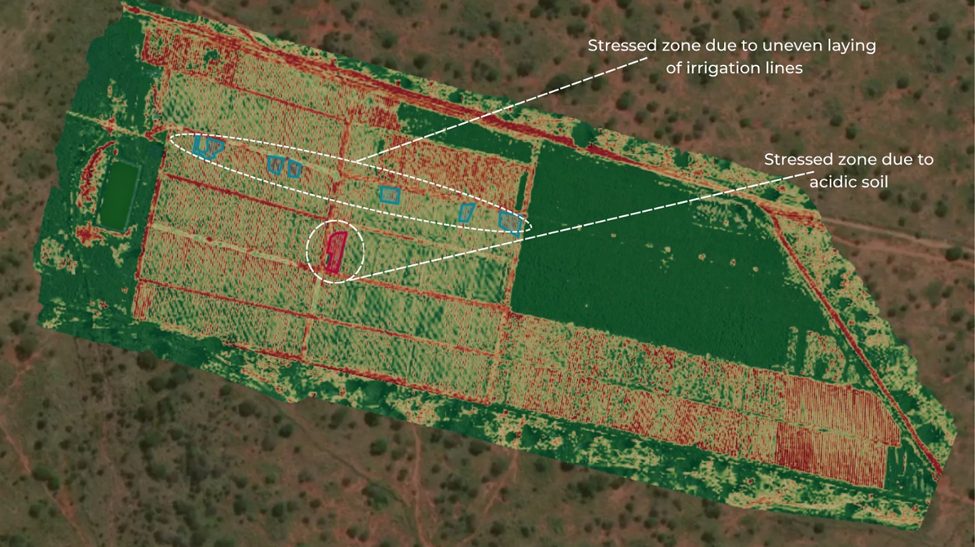
Needs testing
Stress along the feeder line. Check pressure at the far bay this week.
Needs testing
Within-row browning. Move irrigation earlier than the morning sun.
Monitor
Colour change at the headland. Photograph again on the next flight.
New growth
Replanted block coming back evenly.
Six areas marked on this flight. Every one carries a cause and a next step.
Six steps, and the order matters
Nothing here is a hand-off into a spreadsheet. Each step writes into the same record, so the report assembles itself from work already done.
-
01
Fly and upload
The field operator flies the farm and pushes the imagery into the DroneDeploy project.
-
02
Annotate
The scout marks what they see. Colour carries the meaning, so the map reads at a glance.
-
03
Import
Export the annotations as CSV. SHAMBA Tracker reads the colours and the free text into structured findings.
-
04
Complete
The agronomist adds the likely cause and the one action worth taking. Nothing generates until all three fields are filled.
-
05
Generate
One click builds the Acre-branded PDF: map, findings, colour code, season trend.
-
06
Deliver and confirm
Out over WhatsApp or email. The farmer taps once to confirm, and it lands back on the dashboard.
One shared language on every map
Whatever colour the agronomist picks in DroneDeploy, SHAMBA Tracker buckets it by hue into a fixed meaning. The farmer learns four colours once and reads every flight after that without help.
New growth
New vegetative growth / positive development
Healthy
No action needed, baseline confirmed
Monitor
Discoloration or early-stage concern
Needs testing
Suspicious gap or suspected diagnosis

What the colour decides
The colour sets the suggested category too. A red pin arrives as Pest / Disease, a yellow one as Needs Investigation. The agronomist can always override it, but the first guess is already close.
Two ways out, and one of them always works
Provider APIs need a verified sending domain and an approved business number. Until you have both, the report still goes out from your own WhatsApp or mail app, with the message already written.
Send it yourself
No setup neededOpens your own WhatsApp or mail app with the farmer's number, the message in Acre's voice and the report link already filled in. Send it, and the delivery is logged back here.
- Works on any phone or laptop
- Nothing to configure or verify
- Recorded on the dashboard like any other send
Send automatically
Provider accountDelivers straight from Acre Insights with the PDF attached, over Resend or SendGrid for email and Twilio or the Meta Cloud API for WhatsApp.
- The PDF travels as an attachment
- Sends without leaving the dashboard
- Needs a verified domain and business number
A page you could read standing in the field
No jargon, no dashboard to learn. The annotated map, then each marked area in three short lines: what we saw, why we think so, and what to do about it.
Annotated map
The same image the scout marked, numbered to match the findings below.
Findings in order
Grouped by category so related work gets done in one visit.
Season trend
How field health has moved across the season's flights, from the second flight on.
Branded PDF
Downloadable and attachable, laid out for A4 and for a phone screen.
Field scouting report
Mashuru Onion Farm
Crop
Onions
Acreage
10.7 ac
Flight
1 of 12
Areas marked
6
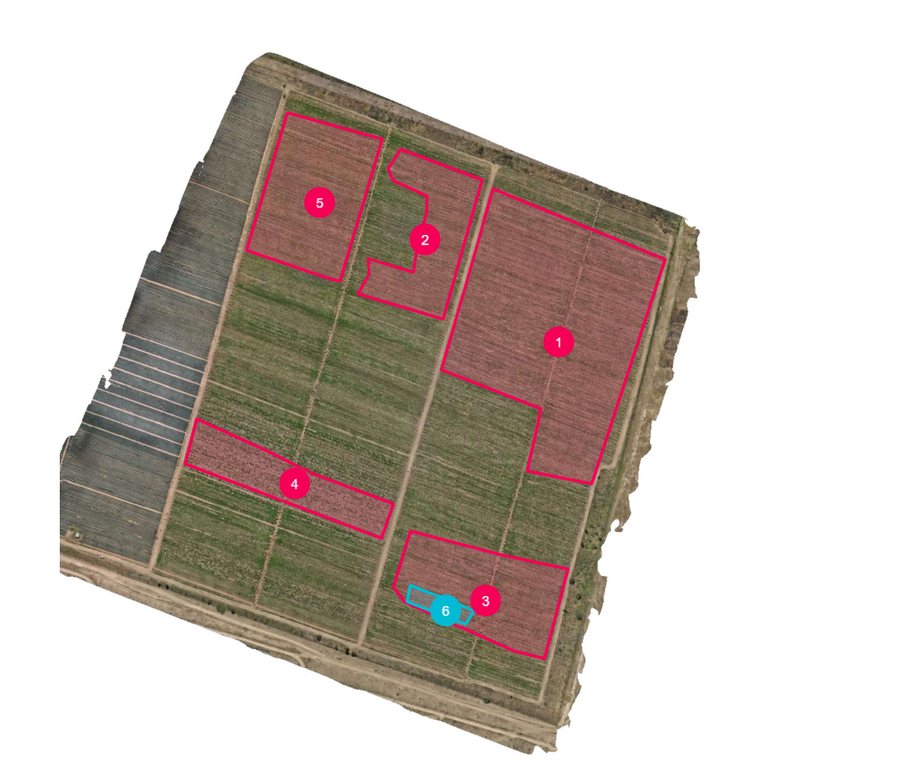
Irrigation
Crop stress running the length of the eastern feeder line.
Check pressure at the far bay before the next irrigation.
Nutrient / Vigor
New growth returning across the replanted block.
No action. Photograph again next flight to confirm.
Give your farmers a report worth reading.
Set up your farms, import a flight, and send the first report today. New accounts are approved by your workspace admin, usually the same day.